

NEW VIDEO:
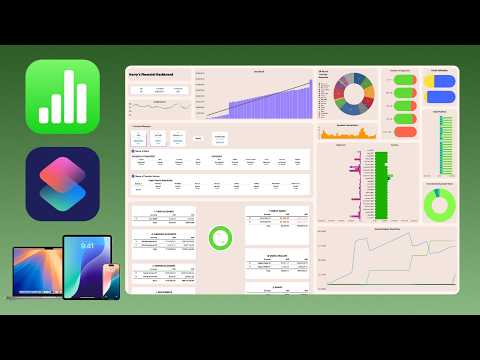
Use Apple Numbers and Apple Shortcuts to Manage your finances - Update 2.5
youtu.be/iuvR-SqPZb8
#applenumbers #budgeting #financeplanner #appleshortcuts
0
0
0
0
NEW VIDEO:
Use Apple Numbers and Apple Shortcuts to Manage your finances - Update 2.5
youtu.be/iuvR-SqPZb8
#applenumbers #budgeting #financeplanner #appleshortcuts
Had 3 wins over the last week.
1) Finally fully translated my Log Transaction shortcut into the corresponding languages my Apple Numbers Finance Tracker supports. Just testing a few more things and then will release update 2.1 for it.
#AppleShortcut #Shortcuts #Numbers #AppleNumbers

NEW VIDEO:
Update 2.0 to Apple Numbers Personal Finance Dashboard Out Now!
youtu.be/LgBZ8AYdCuU
#PersonalFinances #AppleNumbers #BudgetPlanner
I would love if #AppleNumbers got a liquid glass style we can edit with. For example for shapes or charts and graphs. Also, numbers has so much wasted space in the side bar on larger displays, I hope given the dynamicness of liquid glass, that the style side bar has more settings broken apart.
Today I Learned that the `=COUNTIF` function in Excel can use "?" as a placeholder for a single character… I had written `=COUNTIF(named_range,"x")+COUNTIF(named_range,"?")` because some of the cells could be an "x" or a question mark, and getting double counting… changed it to […]

Exploring the differences between #AppleNumbers and #MicrosoftExcel: A detailed comparison of features, usability, and more. #SpreadsheetSoftware #DataAnalysis Link: thedailytechfeed.com/comparing-ap...

Unexpected Advantage to Saving for Everything
youtu.be/PV-qu1F47lo
#FinancialAdvice #AppleNumbers #Excel
Moin #FediLZ, wie immer zum Schul- bzw. Halbjahresbegin habe ich meine lehrerwerkzeuge (u.a. Jahres-/Stundenplanung und Notenverwaltung) etwas aktualisiert. Nutzt sie gerne, wenn sie euch die Arbeit erleichtern.
→ https://github.com/tweh/lehrerwerkzeuge
#automatisierung #numbers #macos #pages […]
For #AppleNumbers: `=LET(y,2025,d,DATE(y,1,1),SEQUENCE(DUR2DAYS(DATE(y+1,1,1)-d),,d))`
Numbers app 쓰다가 `REGEX`랑 `REGEX.EXTRACT` function이 있단 걸 알았어요. 언제 생긴 거지? #AppleNumbers
Consider revamping your budgeting system with Apple numbers and Apple shortcuts and set up some saving goals before #WWDC motivates you to spend some money again 😂
https://youtu.be/fAf8dRgQayY
#AppleShortcuts #AppleNumbers #Excel #MoneyManagement

It is incredibly inconvenient to do whole row conditional formatting in #AppleNumbers.
Really should be able to conditionally highlight a cell based on onther cells' contents as well as its own. In numbers you have to set up proxy columns to achieve the effect.

If you’re a fan of @snell.zone's Six Colors charts on Apple’s earnings, you’ll love this episode of Chit Chat Across the Pond where I get him to tell me how he makes the magic.
www.podfeet.com/blog/2025/02...
#Apple #AppleNumbers #Spreadsheets

Filters Match Any Filters Choose between all filters and any filter. Date Date is in the last く 6 Add a Rule... months Date Cell is blank Add a Rule... Date Date is in the next く 1 months Add a Rule... Add a Filter...
TIL Table Categories in Numbers + Running total columns do not work well.
Decided to turn categories off and use a filter instead to hide transactions older than 6 months. #AppleNumbers


