Advertisement · 728 × 90
#
Hashtag
#MSWord
Advertisement · 728 × 90
Lady sat at a computer ‘with a video screen and two diskette slots’

Lady sat at a computer ‘with a video screen and two diskette slots’

New post: WordStar: the pre-Microsoft Word days

WordStar was the hand I was dealt when I started working with computers back in the 1980s. It was also probably the cheapest word processor on the market, knowing my boss […]

[Original post on mastodon.social]

0 0 0 0

#anniversary #article #artph #basedon #document #fictionalworld #file #foryoupage #funfact #fypシ #hunter #inspiredby #legacy #lore #microslop #microsoft #microsoftword #msword #reporter #scpfoundation (inspired by it!) #shortstory #thevortexoperations #traditionalart #worldbuilding #writer

1 0 0 0
Post image

A #Tutorial on how to make realistic looking #TextMessages in #EBook and #Print. Covers various methods including one to use while #AmWriting, and specific implementations in #Print, #EPUB, #Kindle and #MSWord.
bit.ly/3fK9LTr

2 0 0 0
Post image

A #Microsoft #Word #Tutorial on page one pitfalls when #Formatting #Manuscripts. Ever wonder why you sometimes end up with blank pages?

#Tutorials #Manuscript #MSWord #WritingCommunity
bit.ly/3zNe3Ro

1 0 0 0
Original post on mastodon.social

New post: The Markdown Link no. 12

Among today’s links are #markdowneditors Deepdwn and MarkLite, toolbar app Append, quick-capture app Kraa, and Mat Duggan plumbs the depths of the #filesystem

https://md-markdown.com/blog/markdown-link-no-12/

#markdown #Fountain #MSWord #WordStar […]

0 0 0 0
A 4 by 4 grid of square images on a light-gray background, each with rounded corners. Every image shows a kaleidoscopic pattern created from screenshots of Windows 3.1 interfaces, including elements from MS Excel and MS Word. Familiar details like menu bars, buttons, scrollbars, and small text are mirrored and repeated into symmetrical compositions, forming shapes such as stars, crosses, and hexagons. The color palette is mostly gray and white with strong blue accents, evoking a retro computer aesthetic. The overall impression is highly structured, ornamental, and digitally intricate.

A 4 by 4 grid of square images on a light-gray background, each with rounded corners. Every image shows a kaleidoscopic pattern created from screenshots of Windows 3.1 interfaces, including elements from MS Excel and MS Word. Familiar details like menu bars, buttons, scrollbars, and small text are mirrored and repeated into symmetrical compositions, forming shapes such as stars, crosses, and hexagons. The color palette is mostly gray and white with strong blue accents, evoking a retro computer aesthetic. The overall impression is highly structured, ornamental, and digitally intricate.

Ready for the exhibition: UV prints on aluminum composite panel, 30 × 30 × 0.5 cm, 22 iterations

#windows #kaleidoscope #windows31 #msword #msexcel

1 0 0 0
Post image

Upgrade your productivity with Microsoft Office Home & Business 2024 💻
Get genuine keys, instant delivery, and the best deals from Microprokey.

#MicrosoftOffice #Office2024 #Microprokey #SoftwareDeals #TechDeals #bestdeals #bestoffer #trending #viral #microsoft #msoffice #msoffice2024 #msword

0 1 0 0

Think I've figured out why Word crashes near the end of a document when I'm doing a spellcheck. It crashes when it starts checking the comments.

#amediting #msword #thanksaheap

5 0 0 0
Kaleidoscopic pattern made from mirrored fragments of a classic 1990s computer interface. Blue triangular panels radiate from the center like a six-pointed star, surrounded by repeated grey toolbars and buttons labeled “Help” and “100%.” Small icons, arrows, and window controls form a symmetrical, mandala-like design that resembles a mechanical flower made of old Windows-style menus.

Kaleidoscopic pattern made from mirrored fragments of a classic 1990s computer interface. Blue triangular panels radiate from the center like a six-pointed star, surrounded by repeated grey toolbars and buttons labeled “Help” and “100%.” Small icons, arrows, and window controls form a symmetrical, mandala-like design that resembles a mechanical flower made of old Windows-style menus.

A radial, star-shaped kaleidoscope built from pieces of a vintage graphical user interface. Blue V-shaped sections point toward the center, bordered by rulers, sliders, and tiny triangular buttons. The interface elements repeat in a six-way symmetry, creating the impression of a geometric star made from toolbars and dialog controls.

A radial, star-shaped kaleidoscope built from pieces of a vintage graphical user interface. Blue V-shaped sections point toward the center, bordered by rulers, sliders, and tiny triangular buttons. The interface elements repeat in a six-way symmetry, creating the impression of a geometric star made from toolbars and dialog controls.

Symmetrical digital collage formed from parts of an old desktop application interface. Blue rectangular panels radiate from a small hexagonal center, while menu labels such as “File,” “Edit,” and “Arial” repeat around the circle. The mirrored windows and toolbars create a structured, wheel-like pattern with pale grey backgrounds and thin black lines.

Symmetrical digital collage formed from parts of an old desktop application interface. Blue rectangular panels radiate from a small hexagonal center, while menu labels such as “File,” “Edit,” and “Arial” repeat around the circle. The mirrored windows and toolbars create a structured, wheel-like pattern with pale grey backgrounds and thin black lines.

Complex kaleidoscope pattern composed of mirrored fragments of a 1990s text-editing program. Blue triangular panels alternate with toolbars showing icons and labels like “Times New Roman” and “10.” Rulers, formatting buttons, and menu bars repeat in a precise radial symmetry, forming an intricate starburst made from retro computer interface elements.

Complex kaleidoscope pattern composed of mirrored fragments of a 1990s text-editing program. Blue triangular panels alternate with toolbars showing icons and labels like “Times New Roman” and “10.” Rulers, formatting buttons, and menu bars repeat in a precise radial symmetry, forming an intricate starburst made from retro computer interface elements.

🟦 🔵 ⚪ ⬜

#windows #kaleidoscope #windows31 #msword #msexcel

1 0 0 0

2/2 I tried fixes I've found on Reddit and YouTube. No luck. I prefer OnlyOffice over Libre, but without SpellCheck, the software is useless. Does anyone have a solution?

#OnlyOffice #WritersofBlueSky #AuthorsofBlueSky #MSWord #Opensourcesoftware

www.arniebernstein.com

0 0 0 0

All this AI stuff, I feel like it’s this generations version of Clippy. “Hi! I see you are trying to write a paper do you need help?’ #msword #microsoft #windows #clippy #AI #aisucks

2 0 0 0
Post image

A #Microsoft #Word #Tutorial on why #Images are altered when your #Manuscript is #Saved. By default #MSWord will #Shrink #Pictures down to a maximum of 220 DPI, but it can be disabled!
bit.ly/3tG58gT

0 0 0 0
Video

📎 Paste To Link In Word: The New Shortcut That Saves Big Time

Word now turns selected text into a hyperlink with a single paste, saving you clicks all day.

www.onecooltip.com/2026/01/past...

#Microsoft365 #MSWord #WorkSmarter #OfficeTips #EdTech #BusinessTools #TechTips #OneCoolTip

1 1 0 0
Post image

A #Microsoft #Word #Tutorial on #SectionBreaks and unexpected behaviour when formatting #Manuscripts. This quick read may save you hours of aggravation! #MSWord #Tutorials #Caveats
bit.ly/3FvZDIS

1 0 0 0
MS Word Learning Online Course with Rainbucks India

MS Word Learning Online Course with Rainbucks India

📘 Learn MS Word with Rainbucks!
Create, format & edit professional documents with ease through practical lessons. Perfect for students, professionals & beginners.
👉 Enroll now: forms.gle/mZuwg39G4YQD...
🌐 rainbucks.org

#MSWord #Rainbucks #OfficeSkills #LearnAndGrow #OfficeSkills #DocumentEditing

0 0 0 0
Post image

A #Microsoft #Word #Tutorial on page one pitfalls when #Formatting #Manuscripts. Ever wonder why you sometimes end up with blank pages?

#Tutorials #Manuscript #MSWord #WritingCommunity
bit.ly/3zNe3Ro

0 0 0 0
Post image

A #Tutorial on how to make realistic looking #TextMessages in #EBook and #Print. Covers various methods including one to use while #AmWriting, and specific implementations in #Print, #EPUB, #Kindle and #MSWord.
bit.ly/3fK9LTr

0 0 0 0
Original post on mastodon.social

An article about how "immortal" MS Word is and other MSFT praiset turned up in my feed, so I found the need to reprise (and liberate) my 2013 rant "Compatibility Is Hard: CHARTEST.DOC Is From 1989, Was Not Readable By 2003" https://nxdomain.no/~peter/compatibility_is_hard.html #msword #winword […]

0 0 0 0

MS Word is a miserable tool for managing outlines. Completely unsuitable. #word #msword #outlining

0 0 0 0
Preview
AI-Powered Word Document Summarizer in C# With OpenAI GPT Learn how to build an AI-powered Word document summarizer in C# using OpenAI GPT. Automate document processing and generate concise summaries programmatically.

AI-Powered Word Document Summarizer in C# With OpenAI GPT

www.syncfusion.com/blogs/post/a...

#dotnet #ref #csharp #syncfusion #ai #openai #msword #gpt

1 0 0 0
Post image

A #Tutorial on how to make realistic looking #TextMessages in #EBook and #Print. Covers various methods including one to use while #AmWriting, and specific implementations in #Print, #EPUB, #Kindle and #MSWord.
bit.ly/3fK9LTr

1 0 0 0
Preview
How to turn off the Startup screen in Microsoft Word By default when you start Microsoft Word, you will be presented with a startup screen. While the aim of the startup screen is to help you get started with creating or editing a document.

#mydoodads #MSWord

As I hate the way Microsoft Word now starts up. Here's how to turn off its startup screen, so that you start with a blank page.

mydoodads.com/how-to-turn-...

1 0 0 0
MS Word Learning Online Course with Rainbucks India

MS Word Learning Online Course with Rainbucks India

📘 Master MS Word with Rainbucks!
Boost productivity with essential to advanced Word skills. Learn formatting, tools, and professional document creation.
Start your MS Word Learning Program today!
👉 forms.gle/mZuwg39G4YQD...
🌐 rainbucks.org

#MSWord #rainbucksindia #LearnMSWord #WordTips

0 0 0 0
Post image

A quick #Tutorial on content breaks in #MicrosoftWord. Namely the difference between page breaks, section breaks and the ones to use when #Formatting a #Manuscript. #Word #MSWord
bit.ly/3TEROEH

0 0 0 0
MS Word | Use Text to Speech in Microsoft Word
MS Word | Use Text to Speech in Microsoft Word YouTube video by mydoodads

#mydoodads #msword

Built into Microsoft Word is the ability to have your computer read back the text that you wrote. Something that is very useful if you are trying to proof-read your work. So in our video we take a quick look at this feature.

youtu.be/PFHm-JzwmN8

0 0 0 0
Preview
ÿØÿá

Microsoft Word – Mobile Document Creation & Editing
Create, edit, and share documents seamlessly on mobile devices.
#MSWord #Documents #Productivity
apkonic.com/apk-type/app

0 0 0 0
Original post on fosstodon.org

[Microsoft complaining]

I'm having the misfortune of having to use #Microsoft Word Online. It is probably one of the worst websites I've had to use, I can't even.
#platformDecay #MSWord
I've had dozens and dozens of glitches, each one making me wish harder that MS employess who worked on this […]

0 0 0 0
MS Word Learning Online Course with Rainbucks India

MS Word Learning Online Course with Rainbucks India

🚀 Boost your productivity with MS Word Mastery!
Learn to create, design & format professional documents effortlessly.
Join Rainbucks & gain complete command over MS Word.
👉 For More Details fill the form:- forms.gle/gvGC2v7z7idp...
🌐 rainbucks.org

#MSWord #Rainbucks #SkillDevelopment #OfficeSkills

0 0 0 0
Preview
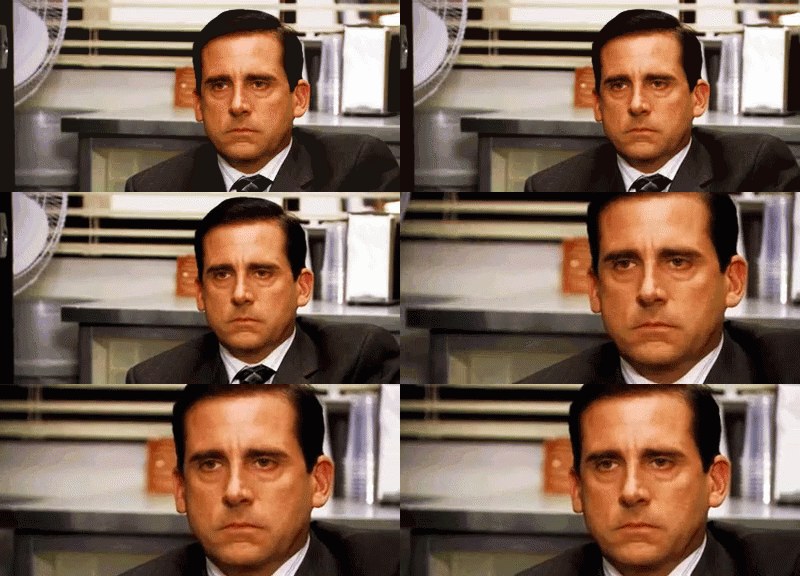
a man in a suit and tie is sitting at a desk in an office . Alt: Michael J. Scott, silently enraged.

What's more irritating than realizing, many, many pages in, that you never turned Track Changes back on after fixing some pesky formatting errors? 🙃🫠

#amediting #shortstories #MSWord #writersky #writingcommunity

5 0 0 0
Post image

Pray For Me 😂 I'm officially switching to a PC to work on my manuscript edits 😬🤞🙏🙌🤪

#writing
#Author
#technology
#msWORD

4 0 1 0