#Live 6:00 PM CST - The Art of Drawing Cosmic Wars - Battle Scene www.youtube.com/live/9dtdWYG... via @YouTube
#artist #drawing #digitaldrawing #illustration #cosmicwars #anime #art #howtodraw #flatting #sketch #kickstarter #Twitch #gamer #joinin #indiecomics
The Options Tab of Clip Studio Paint's Shortcut Settings. Highlighted in red is the "Switch between current and previous sub tools" The soption is set to the semi-colon key shortcut. This is my shortcut - the default setting doesn't have a key assigned to this option.
Clip Studio Paint Tip:
If you're switching back and forth between two tools, you can set a shortcut key to switch between them.
It's really handy if one of those tools doesn't have its own keyboard shortcut.
There's no default setting for this option.
#ClipStudioPaint
#Coloring
#Flatting
#comics
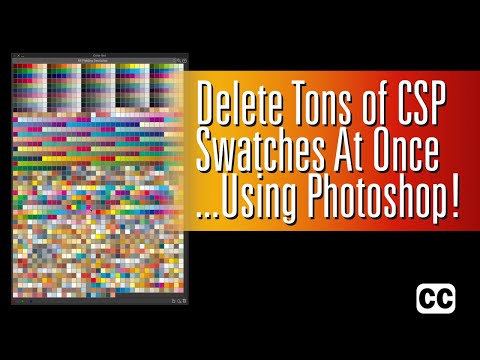
You can't mass delete color swatches in Clip Studio Paint, but you can use Adobe Photoshop to mass delete color swatches from your Clip Studio Paint color sets.
#ClipStudioPaint
#Comics
#Coloring
#Flatting
You can't mass delete color swatches in Clip Studio Paint, but you can use Adobe Photoshop to mass delete color swatches from your Clip Studio Paint color sets.
#ClipStudioPaint
#ComicColoring
#Flatting
www.youtube.com/watch?v=GYPb...
Comic page with large blocks of color on several dragon-like creatures. BG is magenta for better visibility
Would you all like me to show you how I currently do the thing?
What am I talking about, I don't need permission, here's my current method!
#art #comic #flatting #flats #flatter #comicflats #anthro #furrycommunity #commsopen #commissions #commissionsopen
In case you missed it: new comics flatting tip for Clip Studio Paint: Faster Flatting with Custom Fill Tools:
#ClipStudioPaint
#Flatting
#Comics
New Comics Flatting tip: Custom Fill Tools for faster flatting:
#ClipStudioPaint
#Flatting
#Comics
The popup menu from the Color Set Palette. "Register color set as material..." is selected. This will save the active color to Materials in Clip Studio Paint.
You can back up/save Color Sets to Materials in Clip Studio Paint by clicking the Hamburger menu in the top left corner of the Color Set palette and selecting 'Register color set as material.'
#ClipStudioPaint
#ClipTips
#Flatting #Coloring #Comics
For the morning crowd - Hidden Feature in Clip Studio Paint's Lasso-Based Tools:
#ClipStudioPaint
#ComicsWork
#Flatting
#Coloring
3 panel comic page with a big cat, wolf, human, and a flying horse reacting to something
7 panel comic page with 2 wolves talking and a froggy named BoBo croaking in the 5th panel's quiet moment
5 panel comic page with a human, flying horse, big cat, and a wingless dragon
3 panel comic page with the 3rd being wallpaper sized. The first 2 panels include 2 wolves, while the 3rd has 5 new wolves. 2 are playing while 3 are enjoying the show. Dark clouds are coming towards the pack over the forest
#PortfolioDay is upon us again!
I'm Rocky Fuller, mentally disabled, and looking to make money with #comic #flatting. You can view my currently posted pages here: rockycomicportfolio.cfw.me/comics/1/
New Clip Studio Paint video!
When using reference layers, the fill tool often leaves gaps or stray pixels. If you work on transparent layers, it's an easy fix to clean it up:
#ClipStudio
#ClipStudioPaint
#Flatting
Who can I tag to get opinions on my portfolio examples layout for #comic #flatting when I upload it here?
For more context, I will have the lineart versions and the bleed through versions side by side for comparison. For the lines, the BGs will be 100% opacity, but should I do something else with>>
Comic page with Lineart. There's 3 panels total. The top 2 are of 2 wolves, one male (red and black) and one female (orange and cream) and the bottom is a group of wolves enjoying a wrestling match from 2 of the pack members. There's the red and black one, 2 grey and white ones, two brown ones, and one golden yellow
Comic page without Lineart. There's 3 panels total. The top 2 are of 2 wolves, one male (red and black) and one female (orange and cream) and the bottom is a group of wolves enjoying a wrestling match from 2 of the pack members. There's the red and black one, 2 grey and white ones, two brown ones, and one golden yellow
#Comic #flatting examples Thread (Pages won't be posted in numerical order)
Example 1: Of Plights and Honor Page 8
Of Plights and Honor belongs to @clovercur.bsky.social and @rocky-fuller-art.neocities.org (aka me)
A warm smoky bar with the entire cast of 100 bullets (17 people), all sitting around a table and against the bar top, and all of them have drinks in their hands, or on the table.
Flatting a bar scene with so many liquor bottles behind the bar I'm getting flashbacks to when I worked on 100 Bullets pages.
#Comics #Flatting
I LOVE Clip Studio Paint's Enclose and Fill tool.
Makes some things so much easier and faster.
#ClipStudioPaint
#Flatting
#Comics
Page from Cosmic Dash: Vol 4. Ep. 3
Page for Silver Spiral Stories: "Blood and Oil"
Page from Cosmic Dash: Vol 4. Ep. 2
Cover for Cosmic Dash Vol. 4 Ep. 3
Hello #PorfolioDay, I see it is that time again.
My name is David and I am available for work including #writing, #scripting, #illustration, and #flatting. I love comics and have a couple of them I do, in addition to filling in on other's comics.
My portfolio is here: hpkomics.com/portfolio/
No dialogue or page effects Comic page with 4 characters in a total of 3 panels Top panel includes a big cat with wings, fur is earthy brown colors, and the wing feathers are cream and dark blue. A grey, dark grey, and white wolf stands next to the big cat. They're both looking towards the sky Bottom 2 panels include a male human wearing a cloak cape, horse riding boots, and dark brown arm warmers. He is shielding his eyes and his brown hair is blowing wildly from a powerful force (not shown here). The last panel, which is to the right of the human, includes a white Pegasus rearing back in fear
Comic page with 5 characters in a total of 5 panels with dialogue Panel 1: A male human, a white Pegasus, and a brown big cat Male human's dialogue, speaking to the big cat: You know him? (referring to a dark brown dragon-like character) Big cat's dialogue: Yes Panel 2: The dragon-like character is looking sinisterly at the big cat, who is off screen Big cat's dialogue (not shown): Xosk (Spelled X O S K) Panel 3: Xosk's dialogue: Long time no see..... Panel 4: Xosk's continued dialogue: .....Little Magician Panel 4's art: Xosk is speaking to the big cat and the wolf is looking at them in shock Panel 5: Xosk's dialogue, separated by two connecting speech bubbles: She and I have quite the history.......being transported across worlds in epic battles of good verses evil!
No dialogue Comic page featuring 2 wolf characters in the wilderness. One is red and black with a bright pink nose and a scar that goes all the way down his spine. His name is Amon The second wolf, named Hakan, is a mix of greys and creams and is walking towards Amon, who was just taking a nap before Hakan disturbed him
No dialogue Comic page featuring 2 wolf characters in the wilderness. One is red and black with a bright pink nose and a scar that goes all the way down his spine. His name is Amon The second wolf, named Hakan, is a mix of greys and creams and is having a conversation that Amon doesn't want to be having. Amon is reluctantly walking away and Hakan's like "wtf is your problem?"
Happy #PortfolioDay
My name is Rocky and my specialty is
#comic #flatting and #coloring, but I enjoy #drawing #lineart as well. My #artist goal is coloring comics professionally (flatting only for now; $30/page, $50/cover)
#furry #comics #commsopen #animals #humans #flats
Let's use these "beautiful" colors for the comic... don't worry it's a placeholder color by a flatting plugin tool for Photoshop.
#comic #art #flatting #color
One thing I lack in #flatting artwork and #comics is #backgrounds, so if anyone has sketches of #environments I can use for practice (and examples if possible!) that would be greatly appreciated
The Tool Property Pane in Clip Studio Paint, showing [Editing Transformation settings]. At the bottom, highlighted in red, is "Interpolation Method:" with the popup menu set to :"Hard Edges (nearest neighbor)"
Finally figured out how to copy, paste and transform with clean, crisp edges in #ClipStudioPaint ๐คฆ๐ฝโโ๏ธ
Set the Interpolation to Hard Edges (nearest neighbor) in the Tool Property Pane.
Makes it easier to copy and paste flats in comic pages that have copied and pasted items.
#Comics
#Flatting
Three more flat sets done! Two more to go, these have been pretty challenging! Really enjoying pathing these out for @indiwolfonline.co.uk
Lots of wonderful doggo's for her to colour and shade c:
#art #furryart #flatting #spaniel
Never ceases to amuse me when flatting how psychedelic it becomes haha
Amazing lineart by @indiwolfonline.co.uk lots more to work on tonight!
Enjoying the arcane soundtrack while flatting, loving the new season so far
#furryart #art #flatting #spaniel #indiwolfonline
No dialogue or page effects Comic page with 4 characters in a total of 3 panels Top panel includes a big cat with wings, fur is earthy brown colors, and the wing feathers are cream and dark blue. A grey, dark grey, and white wolf stands next to the big cat. They're both looking towards the sky Bottom 2 panels include a male human wearing a cloak cape, horse riding boots, and dark brown arm warmers. He is shielding his eyes and his brown hair is blowing wildly from a powerful force (not shown here). The last panel, which is to the right of the human, includes a white Pegasus rearing back in fear
Comic page with 5 characters in a total of 5 panels Panel 1: A male human, a white Pegasus, and a brown big cat Male human's dialogue, speaking to the big cat: You know him? (referring to a dark brown dragon-like character) Big cat's dialogue: Yes Panel 2: The dragon-like character is looking sinisterly at the big cat, who is off screen Big cat's dialogue (not shown): Xosk (Spelled X O S K) Panel 3: Xosk's dialogue: Long time no see..... Panel 4: Xosk's continued dialogue: .....Little Magician Panel 4's art: Xosk is speaking to the big cat and the wolf is looking at them in shock Panel 5: Xosk's dialogue, separated by two connecting speech bubbles: She and I have quite the history.......being transported across worlds in epic battles of good verses evil!
No dialogue Comic page featuring 2 wolf characters in the wilderness. One is red and black with a bright pink nose and a scar that goes all the way down his spine. His name is Amon The second wolf, named Hakan, is a mix of greys and creams and is walking towards Amon, who was just taking a nap before Hakan disturbed him
No dialogue Comic page featuring 2 wolf characters in the wilderness. One is red and black with a bright pink nose and a scar that goes all the way down his spine. His name is Amon The second wolf, named Hakan, is a mix of greys and creams and is having a conversation that Amon doesn't want to be having. Amon is reluctantly walking away and Hakan's like "wtf is your problem?"
Happy #PortfolioDay to all us human artists!
My name is Rocky and my specialty is #comic #flatting and #coloring, but I enjoy #drawing #lineart as well. My #artist goal is coloring comics professionally
See the replies for some more #art!
#furry #anthro #human #dragon #magic
There's no substitute for the Photoshop "flatting" MultiFill filter in Clip Studio Paint, but there is way to do what the Flatten filter does in CSP:
#Flatting
#ClipStudioPaint
#Comics
Mastering the Enclose and Fill Tool in Clip Studio Paint:
One of the best tools for flatting comics.
#ClipStudioPaint
#Flatting
#Comics
I did a video screen capture of the 100 Bullets page I flatted earlier to test out my new Clip Studio Paint setup on my iPad Pro.
Thereโs no audio, and itโs sped 4X.
#Comics
#Flatting
#ClipStudioPaint
Finally figured out how to make a polygon-based Enclose & Fill tool in Clip Studio Paint:
#ClipStudioPaint
#Flatting
#Comics
Demo of the new custom Paint Enclose & Fill tool I made in Clip Studio Paint for filling intricate areas quickly.
#Comics
#ClipStudioPain
#Flatting
One Clip Studio Paint feature I don't use enough is rotating the canvas.
#Comics #ClipStudioPaint #Flatting
Screen shot of Elagato Stream Deck settings, showing a Multi Action Setting: System: Hotkey โF12 (Command F12) Multi Action: Delay System: Hotkey โฎ (Return Symbol) The Multi Action: Delay is set to 3000 ms.
I was able to reduce my two-step process for preparing flats in Clip Studio Paint down to one step.
My Elgato Stream deck lets me run a Multi Action with one shortcut, then waits 3 seconds, and then runs another shortcut (Return Key) to finish saving before closing the page.
#Comics #Flatting